Snowflake application package is a term you will likely encounter if you develop data applications in Snowflake. It may seem similar to other technical objects you need to learn before you can create something, or valuable, to use.
It’s really a lot easier to understand than it sounds.
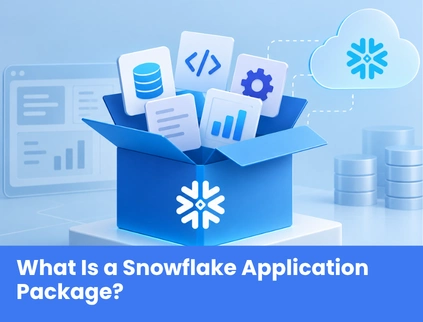
Snowflake application package is a type of Snowflake object and a component of Snowflake Native App Framework. This package combines the resources that your application requires. Your application logic, setup instructions, files and other resources are organized in an application package rather than being separate.
To keep it simple, To apply to the Native App, the Consumer’s Snowflake account must be in the Application package.
The provider creates and designs the application package. It’s used to create and test your application before its release to consumers via Snowflake Marketplace listings, or private listings. This model could be particularly helpful should you wish to share a data application without asking your customers to transfer their data into an external application environment.
How Does a Snowflake Application Package Work?
The Snowflake Native App Framework is to isolate the component you build as a provider from the component that the customer will install.
A typical process flow would be:
Create → Add resources → Configure → Test → Version → Publish → Install
First, you have to develop the application package and then you have to add the resources that are necessary to run the application. You then set up the package, compile and test the Native App, control the version, and package it up for distribution.
Snowflake generates an application object whenever a consumer installs the application. The application’s setup script is then executed to create objects that the application needs. This is because the application can run inside the consumer’s Snowflake environment. Moving consumer data to other application infrastructure isn’t necessarily required to provide the application’s functionality.
In my experience, this is one of the most useful things to learn about when you’re doing a provider vs. consumer analysis with the Snowflake Native App Framework: the provider creates the app, the consumer gets an app that runs in their Snowflake environment.
What Does a Snowflake Application Package Contain?
A Snowflake application package can contain several resources that work together to define how your Native App is built, installed, and updated.
1. Manifest File
The manifest file contains useful information about your application package. It can specify the location of the setup script, configuration details as well as versions of applications. Based on this data, Snowflake can suggest how to configure and manage your application.
Another one of the essential components of the Native App development process is the manifest.
2. Setup Script
The setup script holds the SQL statements that are executed by Snowflake when your application is installed or upgraded. The script can generate resources like:
- Schemas
- Application roles
- Stored procedures
- Functions
- Other required Snowflake objects
The manifest file indicates the location of the Snowflake setup script. Don’t design a Native App allowing the setup procedure to be an afterthought. It is at the core of making your packaged resources into a good application for the consumer.
3. Data Content
The application package may contain and/or refer to the data content that your application needs. This is helpful if you’re creating applications for data or analytics or specific business information.
Rather than creating an application that sits on top of the data platform, you can build functionality that integrates with Snowflake’s data platform.
4. Application Logic
You might also embed basic functionality that makes your application helpful in your application package.
This may include:
- Stored procedures
- User-defined functions
- Snowpark-based functionality
- Streamlit components
This provides you with a lot more flexibility than just sharing. Create interactive applications, data-driven workflows, and application logic-driven Snowflake data capabilities.
5. Application Versions and Patches
Once an application is released, there is no end to development. Bugs will likely need to be repaired, functionality enhanced, and new capabilities may be added. Snowflake application packages provide application versions and patches, which can be used to manage application releases over time.
Release channels can also be used to control various stages of the application development and distribution. If your team has multiple consumers of the same application, structured version management can simplify the process of updating the applications.
Snowflake Application Package vs. Snowflake Native App
If you’re new to the Snowflake Native App Framework, it’s easy to use these terms interchangeably. They aren’t the same thing. The Application package is the application provider’s container of resources needed to build and distribute the application.
The Snowflake Native App is the app that is installed in the consumer’s Snowflake account.
One easy factor to recollect is:
- Application Package = Construction and dissemination.
- (Native App) = Native app that the consumer installs and uses
This is important when developing and deploying. The package lays the groundwork and the implemented Native App, the consumer side.
Why Are Snowflake Application Packages Important?
For app developers, application packages can streamline some aspects of the development process if you’re building apps for Snowflake users.
Keep Data Within Snowflake
One key benefit of the Snowflake Native App model is that applications run in the consumer’s Snowflake environment. This can decrease the amount of data that needs to be duplicated to external application infrastructure.
In cases where regulated, confidential, or business-critical data resides, it can be easier to make architectural and governance choices if the data remains within the context of its natural habitat.
Simplify Application Distribution
Distribute your apps on Snowflake Marketplace or apps can be sold privately. That provides a structured approach to allowing applications to be made available by a provider to multiple consumers without having to have a wholly different deployment model for each consumer.
Support Data Governance
The application is contained within Snowflake, allowing you to leverage Snowflake’s security and governance features. This can range from role-based access control to data policies that apply.
In the Native App model, the ability to work within the Snowflake environment is a big piece of the design puzzle, as will be your choice of controls depending on your application’s design and the consumer’s requirements.
Create Monetization Opportunities
For commercial data products, the Native App Framework is available to distribute your apps for free or paid. In doing so, they can create a way for organizations to develop applications that customers can use, which contain these specific data, analytics, AI features, or business logic.
Support Ongoing Development
It’s likely that your first release will not be your last. While you collect input and find ways to improve your app, you can update it, develop new versions and release patches. This is a structured development model designed to provide you with a method that enables you to manage application changes instead of seeing these as yet another deployment task.
How to Create a Snowflake Application Package
Application packages can be created in several different ways in Snowflake, such as by using a SQL command, the Snowflake CLI, or Snowsight.
You can make an application package using:
The my_application_package package is created by the following statement: Once the package is created you’ll need to add the resources that your application needs, and set up the package elements including the manifest file and setup script.
Your development process can then go through:
- Adding application files and resources
- Configuring the application
- Developing and validating the indigenous application
- Application versions creation & management.
- Committing a version
- Preparing the application for distribution
- Making the app available to people
This workflow may differ depending on how you are building and publishing your application and should always be confirmed with the latest Snowflake documentation when implementing.
When Should You Consider Using a Snowflake Application Package?
If you are just sharing a data set, then a Snowflake application package is likely not necessary. For instance, you can be constructing:
- A data application specific to business cases
- An analytics application
- A special AI/machine learning app
- An application designed specifically for Snowflake.A business tool built on Snowflake.
- Commercial data product (CDP)
- An app that integrates data and custom business logic
The first question you should consider is really easy—Is there a need to package application resources and deploy an application that runs inside of Snowflake?
If the answer is yes, then let’s explore the Snowflake Native App Framework and its application package model.
Final Thoughts
A Snowflake application package provides an organized solution to develop and drop a Snowflake Native App. It can bundle application logic, content, configuration, metadata, files, setup information and version information in one development & distribution model.
After you grasp the application package versus the Native App it produces, it’s much easier to follow the overall architecture.
The selection of a technical partner can also greatly influence the decision for businesses looking into Snowflake application development, data engineering, AI and modern data platforms.
Visit Top Data AI Companies to learn about companies engaging in various data and AI technologies across Snowflake, Databricks, AI, data engineering, etc.