
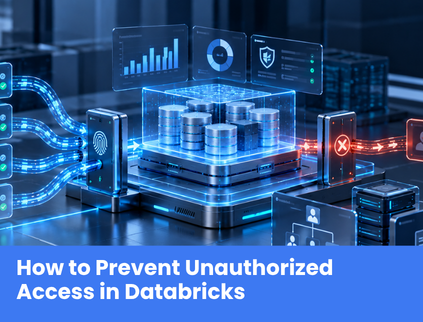
Organizations are using data platforms more than ever to store their customers’ information, accounting files, employees’ information, and confidential company information. This data can help an organization make informed decisions, but if access to that data is not managed correctly, there are security risks.
An unauthorized use of confidential information can result in a data breach, monetary loss, regulatory penalty, and harm to your company’s reputation. The risk increases when there are numerous teams, applications, and automated processes that utilize the same data environment.
Databricks offers a single platform for data engineering, analysis, and artificial intelligence. However, storing your data in Databricks will not automatically ensure that each dataset is secured from unauthorized users. To protect all datasets, organizations need to set up correct permission levels, create and administer user profiles, secure login information, and track data usage.
A combination of access controls, data governance, identity management, and continuous monitoring is needed to prevent unauthorized access to sensitive information in Databricks.
This article explores what leads to unauthorized access to data; explains how Databricks’ security features will help to safeguard your most sensitive information; and lists some things that organizations should do to improve their data security practices.
What Is Unauthorized Data Access in Databricks?
The unauthorized use of information can occur when a user, application, or service accesses data without authorization or outside the boundaries of what is authorized for that user, application, or service.
This may include employees viewing sensitive customer information within a Databricks environment, developers who have unneeded access to production financial data, and applications with excessive permission levels to access sensitive information.
Unauthorized access can occur as a direct consequence of a cyberattack originating outside your organization. Additionally, it may result from a misconfiguration of user permissions, sharing credentials with other users, granting too many privileges to a user, or making an error when administering your system.
Common examples include:
- A person who is authorized to view customers’ private data but does not need to do so to perform their job functions.
- A contractor retaining access to datasets after completing a project.
- The use of an automated process that has more access rights than what is needed for its purpose.
- A user who has accessed a cloud storage directly and has bypassed the intended data governance control.
- Sensitive information is exposed when it appears in logs, notebooks, or exported files without proper security measures.
The risks mentioned above illustrate why Databricks security must be managed continuously through governance processes and not merely set up once as a configuration.
Why Is Sensitive Data Security Important in Databricks?
The majority of modern-day data platforms contain data that has been gathered from various business systems. Within a single platform, there can be a wide variety of types of data, such as customer profiles, transactional history, employee records, operational data, and datasets that are being used to develop machine learning models.
In cases where the security of the access control system is poor, then some information could potentially be seen by people or systems who are not supposed to see that information.
Strong Databricks data security helps organizations achieve several objectives.
- Protect private information: Limit access to private, financial, and business-related information.
- Internal security risk reduction: Restrict employees and contractors from viewing information outside of what is necessary for their job roles.
- Support of Compliance Needs: Support the development of proper methods for managing data under various regulatory and/or industry-wide requirements.
- Improve accountability: Maintaining an accurate record of all access and administration activities to allow security teams to investigate suspicious activity.
- Enable secure collaboration: Teams should be allowed to collaboratively work on shared data while restricting each team member’s access to the rest of the environment.
Employees need to access the information necessary for their jobs while protecting the privacy of other employees’ sensitive information.
How to Prevent Unauthorized Access to Sensitive Data in Databricks
1. Use Unity Catalog for Centralized Data Governance
Unity Catalog is Databricks’ centralized management tool for controlling access to all supported data and artificial intelligence resources. The system allows users to create hierarchical structures for their data resources, grant permissions, and enforce compliance policies.
Without a standard governance strategy, there will be inconsistency among different teams’ approaches to managing permissions. As a result, there will also be inconsistent security policies applied to each team’s data sets. Therefore, it will be hard to determine which users have access to specific types of data.
Unity Catalog has a multi-level structure for securing items (e.g., catalogs, schemas, tables, views, volumes) that can be accessed by users, groups, and service principals. Security access can be granted based on the role/responsibilities of each user, group, and service principal.
For instance, a retail organization may maintain its customers’ data in a single catalog, and maintain its overall sales analysis in a second catalog. The customer support department can then be given access to the records needed to provide customer support, whereas business analysts can be granted access to the approved analytics datasets.
This strategy creates a distinct separation between private and confidential company information and all other forms of business-related data.
Establish a formally defined governance structure, allocate responsibility for data management (ownership), and periodically assess the levels of authorization granted to users. Use Unity Catalog as your central tool for managing the governance of all assets that can be managed using Unity Catalog. Avoid using individual, disconnected, manual methods for authorizing users’ access to resources.
2. Apply the Principle of Least Privilege
The principle of least privilege states that each user or each specific application receives only those permissions needed to complete their assigned duties.
The risk of a data breach from compromised credentials, unintended exposure of data, and misuse of access rights is increased by having too many permissions.
For instance, a data analyst who has no other responsibility than to run queries against sales reports should not be granted full privileges (e.g., to create/update/delete production tables, administer permissions, and access confidential employee data).
The same goes for a data pipeline; if it has to read from a single source table and then write the results into a specific location (destination), then there is no reason to have the pipeline run under an administrator’s account.
Databricks provides detailed permission management via Unity Catalog. Administrators may provide the necessary rights to individuals, teams (groups), and service accounts (service principals).
Assigning permission levels via group assignments based on roles whenever feasible, using least privilege principles when possible, and separating administrative duties from regular analysis activities is considered best practice.
The existing grant reviews should occur at regular intervals in order to find unneeded access and revoke permissions that have become obsolete.
3. Use Row-Level Security and Column Masking
On some occasions, users will require a dataset for their work but do not have to view each item in that dataset nor all of the fields associated with those items.
The same applies to a local sales representative who wishes to examine his/her area’s sales figures without being able to access customer records from other areas. An analyst, on the other hand, will require access to customer purchasing data; however, not all of their contact details, i.e., full phone numbers and/or additional personal identifiers.
Databricks Unity Catalog is able to restrict access to rows and columns through the use of row filters and column masks. In addition, it supports ABAC (attribute-based access control) to enforce policy restrictions on data based upon tags that have been defined within the system as well as any other defined attributes.
Row-level security limits what data a user is able to view. As an example, a regional manager would only have access to sales data that was generated within the bounds of an approved region.
Column masking allows for controlling what values are visible to users within specific columns. For instance, a column containing sensitive information such as a user’s phone number could be displayed with the phone number partially masked rather than fully visible.
Attribute-based access control provides an efficient method for applying a set of standardized governance policies to all of your organization’s data assets. This will reduce the amount of time required to set up each individual data asset’s access controls.
For example, a financial services company can designate customer identifier information as being sensitive and apply masking policies to customers that do not need to view their actual data.
Best Practice: Identify sensitive fields, properly categorize your data sets, and create a detailed policy based on what is needed for the business. Test the policy by using multiple types of user accounts to make sure that the restricted records and/or data values cannot be viewed.
4. Secure User Identities and Authentication
The effectiveness of access controls is dependent upon the platform being able to consistently determine who is attempting to use the system or application.
Weak passwords, multiple people using one account, old/inactive accounts, and poorly managed authentication processes all allow for an opportunity for unauthorized access.
Centralized identity management should be utilized by organizations as well as support single sign-on integration where possible. Multi-factor authentication should be implemented with the organization’s identity management solution and organizational security policy.
Access should be revoked immediately upon employees leaving the company, contractors completing their projects, or employees’ job descriptions changing.
Automated workloads need to be given special care. Organizations should use properly set up service principal accounts for automated processes and applications rather than use one employee’s credentials.
Best practices: Use a single location to manage user identities; Require strong authentication for all users; Eliminate use of common/shared user accounts; Regularly audit and remove accounts no longer being used by an active user. Only provide the required permissions to each service principal (or application) so it can perform its assigned tasks.
5. Protect Cloud Storage and Credentials
Databricks is typically used with data that resides in a cloud-based environment like AWS, Azure, and/or GCP.
Protecting the Databricks workspace will be useless if users and applications can access the underlying storage in violation of the desired governance controls.
For instance, a company could restrict a user’s access to a private table in Unity Catalog; however, they might unknowingly give that same user wide-ranging privileges to the cloud storage where the underlying data files reside.
Depending on how your storage is set up, these direct permissions can override the intended governance at the table level.
Databricks suggests against allowing direct user or app access to storage being used by Databricks Unity Catalog-managed tables/volumes. Doing so allows the user/app to circumvent the data governance controls that are in place.
The use of credentials requires attention. Credentials such as API tokens, passwords, cloud access keys, and connection secrets cannot be used directly in notebooks, source code, or plain text configuration files.
Best Practice: Support for storage credentials and external locations, applicable cloud IAM policies, and use of approved secret-management mechanisms to store secrets. Separation of review of storage permissions from Databricks permissions will allow you to determine if both layers are providing the desired level of security protection.
6. Monitor Access Through Audit Logs
Preventing unauthorized access involves seeing how both users and applications use data.
When there is no tracking in place, it will be difficult for administrators to know if someone accessed sensitive data without authorization, if permission levels have changed, or if anything odd happened.
Databricks provides audit logging capability so that an organization can look into administrative actions and other relevant activity within the platform. If set up properly, the audit records can be used for security reviews, incident investigations, and to report on compliance.
The security team should focus on odd access patterns, unexpected changes in permissions, suspicious authentication attempts, and attempts to get into restricted resources.
The sudden access to multiple sensitive tables by a user who typically accesses only a few pre-approved datasets is an example of an anomaly that would justify additional research.
Centralize relevant audit records, set up alerts for important security-related events, and develop a process for investigating suspected activity. Securely store audit records so that they
cannot be altered or deleted without authorization. Configure retention of audit records based on both business needs and regulations.
7. Classify Sensitive Data and Apply Consistent Policies
Without knowing where sensitive data resides, organizations will be unable to adequately safeguard that information.
In addition to the development of new data engineering pipelines, which can create new data sets, personal information, payment details, employee records, and confidential business data can be stored throughout various catalogs, schemas, and tables.
Organizations use data classification to recognize how sensitive each of their assets is, and then they can decide what amount of security would be best for that asset.
As an example of this, a company may use four different classifications for its datasets. These could include Public, Internal, Confidential, and Restricted. There may be specific requirements associated with each classification regarding access, sharing, retention, and monitoring of the data contained within that classification.
Unity Catalog provides support for both governed tags and ABAC policies that allow for consistency in applying control to asset classification.
Best Practices: Create a Data Classification Framework; identify Sensitive Columns and Datasets; use Reusable Policies where applicable. Review Newly Created Assets and Update Classifications as Data Content/Business Requirements Change.
8. Review Permissions and Remove Unnecessary Access
Access rights for employees, contractors, and applications can grow throughout their employment. When an employee moves to a different department, when a contractor completes his/her project, and when an application is retired, their existing access rights can still be valid.
These unused permissions create unnecessary exposure.
Regular audits of access can assist an administrator in identifying those individuals, groups, or applications that have access rights which are no longer necessary.
A periodic review can help to find and remove any residual access to confidential customer data by developers who have had access to it during the migration process.
Organizations should also review their inherited permissions and group memberships since an excessive amount of access can be obtained through a group as opposed to being directly granted.
Best practice: Create an ongoing access verification procedure; perform additional reviews on high-risk privilege accounts as necessary; and create a written record of who has authorized the use of certain types of access. Delete all unauthorized grants as soon as possible and maintain records of the key access review decision-making.
Real-World Example: Protecting Customer Data in Databricks
An example of an electronic commerce (e-commerce) company using Databricks to study customer shopping patterns, marketing success, and product popularity.
Its data platform contains customers’ names, email addresses, order histories, payment information, and sales summaries. Various teams require access to various segments of the data.
The company starts by organizing data assets with Unity Catalog, then sets boundaries for who owns sensitive data.
The data engineering team gets the proper permissions to process data that has been approved for use as a source. The marketing analysts are able to look at and analyze the data that was collected from campaigns and purchases. Customer service agents have access to the data that is required to help customers with their problems.
Appropriate row filters allow you to limit access to certain data sets based upon business needs, while column masking will protect specific personal identification numbers (PINs) from those users who don’t need the actual values.
Additionally, the business obtains cloud storage authorizations, automates workload identity management, and consolidates pertinent audit logs to enable investigative processes.
Finally, the program also reviews your access on an ongoing basis to remove those permissions that you no longer need.
The method used by this system doesn’t provide an absolute solution for security risks; however, it creates numerous levels of defense against the risks and makes the use of unauthorized systems more challenging to gain entry into and much simpler to investigate.
Best Practices for Databricks Data Security
Organizations have the opportunity to improve the level of security they maintain by implementing a standard series of procedures.
- Use centralized control: Use Unity Catalog to manage access rights to supported data and AI tools.
- Use the “Least Privilege” Principle: Only provide each user and each application with the minimum amount of access necessary to perform their respective jobs.
- Fine-grain controls should be enforced. For sensitive datasets, use row filters, column masks, and the proper ABAC policy.
- Securely identify: Apply strong authentication to users and protect service principals.
- Protect storage: It will be done by aligning cloud IAM permissions with Databricks governance policies.
- Securely store your sensitive data: Never use credentials within your notebooks or source code.
- Monitor activity: Review audit logs and investigate suspicious access patterns.
- Classify data: Identify all of your sensitive assets and consistently protect each one.
- Regularly review access: Remove old permissions and confirm that only those who require high-level access have it.
- Verify test security controls: Make sure that only authorized users have access to information within the limits of what they are allowed to see.
Security policies need to be evaluated each time there is an adjustment to the data architecture, how users access data, and the integration of different environments.
Conclusion
Databricks’ ability to prevent unauthorized access to sensitive information is achieved through a multi-faceted approach that includes managing user identities, granting appropriate levels of permission, maintaining a program of data governance, securing stored data, and monitoring activity within the environment.
Organizations can use Unity Catalog to provide access management of data and AI assets. To control access to individual records and/or values, organizations may utilize row filters, column masks, and/or attribute-based policy. Organizations can also create additional layers of protection through strong authentication, least privilege permissions, secure credentials, and/or auditing/monitoring.
Enabling individual security features is simply not enough. Organizations should constantly be reviewing user access levels (permissions), identifying and classifying sensitive information (data classification), protecting the hardware that contains organization-wide data (secure storage), and testing the effectiveness of their organizations’ security policies (testing).
Businesses can lower exposure that is not needed, build accountability, and make an overall more secure environment for using analytics and AI by implementing each of the previously mentioned practices.
In essence, Databricks data security is designed to ensure that the appropriate users/applications have access to the appropriate data for the appropriate purpose, while preventing any unnecessary exposure of sensitive data.