
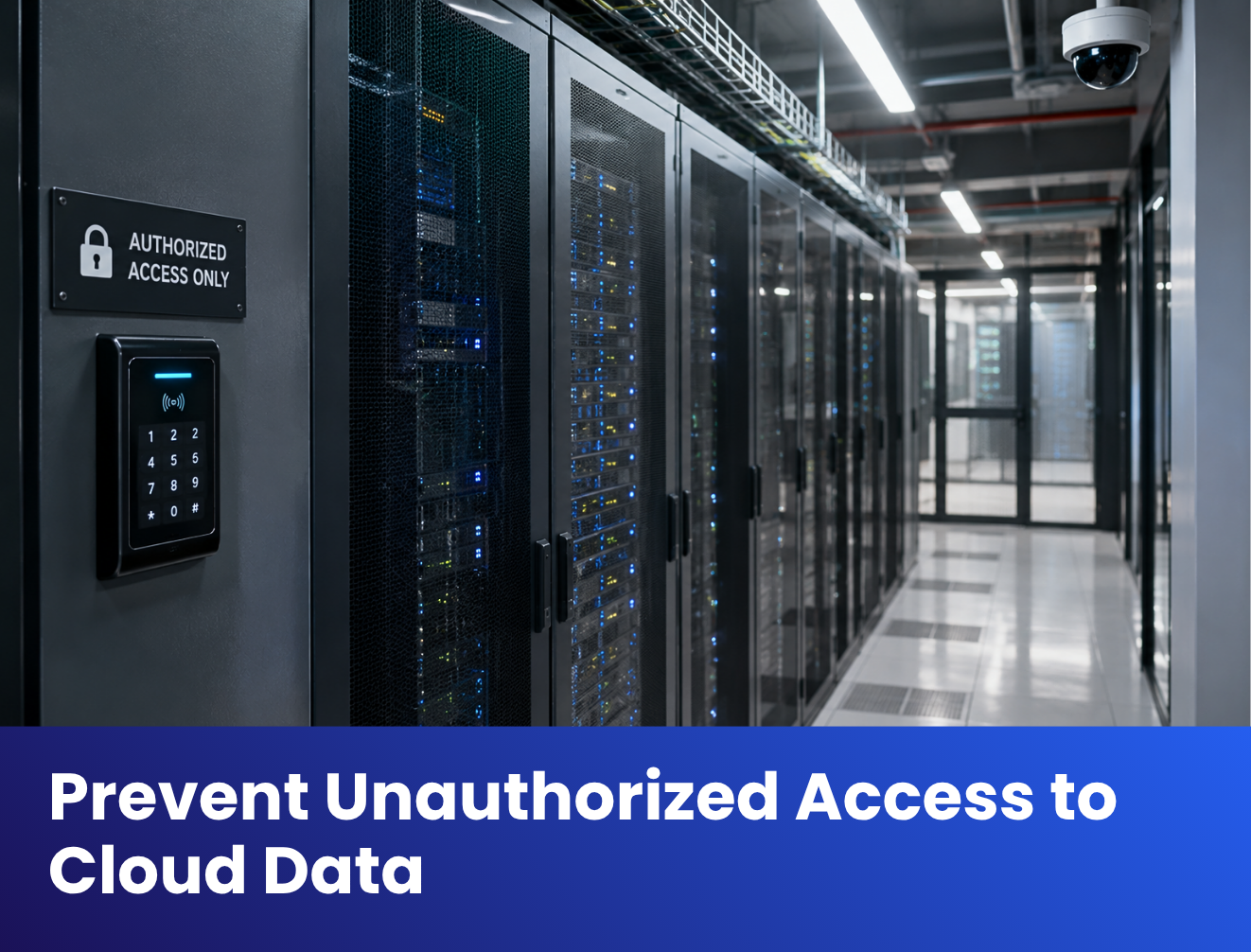
The way that businesses are able to organize and access their information has changed significantly with the development of cloud platforms. Businesses are currently using platforms like Amazon Web Services (AWS), Microsoft Azure, and Google Cloud to maintain records for customers, financial records, employee records, business applications, and other operational data.
However, moving business information to the cloud can create security concerns. All employees, contractors, applications, third-party vendors, and automated processes will likely need access to company systems. Without proper management of those access rights, company confidential data could be accessed by people who do not have authorization.
Unauthorized access to information can occur through methods other than a hacker accessing a network from the outside. Unauthorized access can also occur if an employee receives permissions they do not need; if an employee’s old account remains active and available; if a cloud-based storage device is made available to the public by mistake; or if an application has been accessed using stolen credentials.
The results of these occurrences include lost revenue, regulatory fines, operational interruptions, and negative public image. Managing access to multiple cloud platforms is significantly more challenging for an organization with operations on various cloud platforms, since there are often different identity management systems, authorization structures, and security settings for every cloud platform.
In order to prevent unwanted access to your system, it takes more than just adding some security software. Businesses should have an organized approach that incorporates Identity and Access Management (IAM), Role-Based Access Control (RBAC), Attribute-Based Access Control (ABAC), data encryption, Activity Monitoring, and Periodic Security Reviews.
Cloud-based security concerns about unauthorized access to business data are discussed in this paper along with some practical steps that may help organizations safeguard their sensitive data.
1. Common Causes of Unauthorized Data Access
Unauthorized access can be defined as gaining permission to view, modify, download, or manage data/information when you have not been given that right.
Several security weaknesses can create opportunities for unauthorized access.
Weak or Compromised Login Credentials
Weak passwords, re-using of credentials, and/or compromised login credentials are still a significant risk for security. An attacker can obtain credentials via phishing emails, malicious websites, credential leaks, or by attempting to guess your password (brute-force).
For instance, if an employee uses the same password for both their work-related application and their personal account, then when their personal account is hacked, there is a risk that hackers will try to use the hacked credentials to access the employee’s company’s cloud-based applications.
A stolen password can lead to exposure of private information if you do not have other security controls.
How to prevent it: Require robust authentication, use multi-factor authentication (MFA), and use a single sign-on system with a central identity provider. Additionally, businesses should keep track of unauthorized access attempts and block the use of previously hacked credentials.
Excessive User Permissions
When employees receive more access to the system than what is required by their job responsibilities, this usually occurs because an administrator assigned the employee higher-level permissions based upon convenience, rather than adhering to business requirements.
An example would be a marketing person who needs only access to campaign reports but has received permission to look at customer payment records or download all data.
Unnecessary access can increase the risk of accidental exposure or misuse, regardless of whether an employee intends harm.
How to prevent it: Give each user only the permissions needed to do what you have asked them to do, and check on those permissions on a regular basis.
Misconfigured Cloud Storage and Resources
When the configuration of your security settings is incorrect, you may be exposing your cloud-based storage services, database, and application interfaces.
A storage bucket with client data may unintentionally provide access to the public. In addition, if a database firewall is set up incorrectly, it can provide unauthorized access to resources from unverified sources.
Even if the cloud service provider has a functioning and secure infrastructure, these types of errors could potentially lead to security vulnerabilities.
How to prevent it: Check your cloud configuration on a regular basis, limit the number of users who can access the system via the internet (public access), limit the exposure of the system within the company’s network, and automatically check for potential security vulnerabilities created by incorrect or insecure configurations.
Unmanaged Third-Party and Application Access
Cloud environments are often used by businesses to connect to other applications outside of the cloud environment, analytical tools, automated systems, and third-party vendors.
The integration process allows the use of third-party applications to access business data. However, if a third-party application is compromised or has too many permissions, it will be possible for someone to use this as a way to gain unauthorized access.
How to prevent it: Review third-party integrations, check if they meet your security standards, limit access rights of the application, and remove the right to use the integration when it’s no longer used.
2. Identity and Access Management Challenges Across Cloud Platforms
Identity and Access Management (IAM) is the way you manage and control how people use their online identity to access things.
The entity that has the identity can be an employee, a system administrator, an application, an automated workflow process, or a third party.
When working with multiple cloud providers (AWS, Azure, Google Cloud), the process of managing IAM is more difficult than when you only have one cloud provider. This is because organizations must be able to control access to resources that are hosted on different cloud providers, in addition to managing access to other resources such as SaaS applications and internal business systems.
Fragmented Identity Management
When various cloud platforms use distinct identity systems, administrators can have trouble keeping access policies uniform.
For instance, a worker could possess an account with AWS, another with Azure, and different authentication methods for their commercial applications. When that employee is transferred to a different department, administrators can modify permissions in a single environment while overlooking the other environments.
The creation of unnecessary access leads to increased risk of unauthorized exposure to data.
The solution: Whenever feasible, centralize identity management using a credible identity provider. Implement SSO and identity federation for ease of user authentication and consistency of security policy implementation across all of the connected platforms.
Inactive and Orphaned Accounts
When employees leave the company or when contractors complete a project, the employee’s/contractor’s accounts should be either deactivated (disabled) or deleted from any system that is not required for their continued employment/contract work.
However, in some cases, access can remain available as account management is handled separately across multiple platforms.
These dormant accounts can pose security risks, especially if the credentials used to access them are compromised.
The solution: integrating identity and access management (IAM) with the organization’s employee onboarding, role change, and offboarding processes. Deactivation of an employee account immediately upon termination of employment or when access is no longer needed. Identification of inactive user accounts through periodic reviews.
Managing Human and Machine Identities
Cloud identities can be associated with people as well as applications, API’s, scripts, VMs, and automated data pipelines, which all require authentication credentials to interact with cloud-based resources.
If the above identities contain hardcoded passwords, accessible API keys, or long-term valid credentials, then there is an opportunity for attackers to utilize these vulnerabilities to gain entry into your organization’s system.
The solution: Assign unique identifiers to both applications and workloads. Use either managed identities or short-lived credentials when possible. Utilize secure secrets management systems to store all required secrets.
An effective IAM strategy must address both the identification of human users (e.g., employees, contractors, etc.) and non-human identities (e.g., machines, applications, devices) in addition to employee login credentials.
3. Role-Based Access Control (RBAC): Giving Users the Right Permissions
Role-based access control (RBAC) is a method of managing access that assigns permissions to users based upon their employment responsibilities/job roles.
Instead of establishing individual employee permissions, administrators establish pre-defined roles that have specified access rights.
For example, a business might establish the following roles:
- Finance team: Access to invoices, financial reports, and payment records.
- Marketing Team: Access to campaign performance data, customer interaction reports, and various marketing software programs.
- Developers: You will have access to all of the development environments that are required for your work, along with the application resources and deployment tools necessary to do your job.
- Security administrator: Access to security configuration, auditing logs, and monitoring systems.
When employees are assigned to departments, the administrator will assign the correct role as opposed to giving each employee access to all parts of the system.
Why RBAC Improves Cloud Security
The use of role-based access control (RBAC) helps to simplify the process of managing permissions and reduces the risk that users will be granted unauthorized access to resources.
In addition, it makes access reviews simpler for administrators, as they will be able to review what roles have been assigned to users instead of having to go through each permission.
However, when designing an RBAC system, you should do so with caution. When you design roles with too many permissions, users will still have access to data that is irrelevant to their role.
An example would be providing all developers with administrative-level access to production databases, which would create excessive risks.
The creation of employee roles must be based upon the employee’s assigned duties. The developer’s access to the production environment must be limited through the use of separate development and production environments. Employee role assignments must be reviewed each time an employee changes positions within the company.
4. Attribute-Based Access Control (ABAC): Applying More Context to Access Decisions
RBAC uses roles to assign permissions, whereas ABAC uses other factors to determine whether or not to allow someone to access something.
These attributes can include:
- User department or job title.
- Resource classification or ownership.
- Project assignment.
- Device security status.
- Geographic location.
- Time of access.
- Type of requested operation.
A developer may be granted access to project information if they are accessing a resource that is part of the project they have been assigned to and if the request was made using a device that has been approved for such use.
Regardless of whether an employee holds the title of “developer,” they will not have access if the requirements are not met.
How ABAC Supports More Flexible Security
ABAC works well for organizations that have a variety of teams, projects, locations, and data with varying degrees of sensitivity.
Administrators can create a single policy to assess several different properties, rather than defining a separate role for every scenario.
Consider a business that has many projects in the cloud. Employees who are part of various departments can use different projects; however, not all employees should be able to view each project’s files.
An ABAC policy allows access to a resource based on the match of a user’s project attribute with the tag of the resource.
RBAC vs. ABAC: Which Should Businesses Use?
RBAC and ABAC are not competing approaches. They can work together.
| Feature | RBAC | ABAC |
| Access based on | User roles | User, resource, action, and environment attributes |
| Permission management | Role assignments | Policy-based conditions |
| Best suited for | Clearly defined job responsibilities | Complex and dynamic access requirements |
| Example | Finance employees can access financial reports | Finance employees can access reports only for their assigned business unit |
| Main advantage | Simpler administration | More granular access control |
A hybrid approach works well for many companies. While RBAC sets up the foundation of what you can do (permissions), ABAC provides additional context and criteria when dealing with sensitive information or unique circumstances where access is required.
5. Protect Sensitive Business Data Through Encryption
Access Control controls who can have access to a company’s data. Encryption will help protect the company’s data should someone gain unauthorized access to the data, if the data gets exposed, or if the data gets accessed in an unintended environment.
Data encryption is a process of converting readable information into an encoded format that can only be decrypted by using the appropriate cryptographic key.
Businesses should consider two important forms of cloud data encryption.
Encryption at Rest
Cloud data storage, backup files, and other long-term resource storage are protected by encryption at rest.
If a business uses a cloud-based system to store its customers’ data, using “encryption at rest” can help stop unencrypted storage files from becoming instantly accessible to users who do not have access to the required decryption methods.
Cloud providers offer a variety of encryption options for several of their storage and database offerings.
Encryption in Transit
In-transit encryption is used to protect data being transmitted among systems, applications, users, and/or cloud-based services.
For instance, when employees access business applications via browsers, those connections will be encrypted via HTTPS and TLS. These types of connections are designed to protect data as it travels back and forth between the browser and the application.
Without proper safeguards, sensitive data being sent over a network can be intercepted.
Manage Encryption Keys Carefully
Encryption is only effective when its keys are properly protected.
In addition to utilizing secure key management solutions, organizations will also need to limit access to encryption keys, keep track of who uses these keys, and develop a process for rotating and recovering them.
Organizations may opt to utilize customer-managed keys for increased control of encryption policies when there is a business or regulatory reason to do so.
The use of encryption in combination with identity management and access control can help to ensure that even if a valid user has had their account compromised, they will still not be able to access data via an application.
6. Monitor Cloud Activity to Detect Suspicious Access
When businesses use preventative security controls to decrease the amount of unauthorized access that occurs, they will still need to find ways to detect possible malicious activity if the preventative measures are ineffective.
Cloud activity monitoring provides organizations with the ability to identify who accessed a particular resource, what activity was conducted on that resource, when the access occurred, and where the request originated.
Monitor Login and Authentication Events
Security teams need to look for unusual patterns in authentication, such as multiple failed login attempts, login attempts from unusual locations or using unusual devices, and unauthorized changes to privileges.
If an employee regularly accesses their organization’s business applications while working remotely from India, and then unexpectedly attempts to download confidential information from a foreign country, this would be a reason for concern.
A single unique login is not necessarily indicative of an assault. However, if used in conjunction with other occurrences, a single unique login may provide a valuable security indicator.
Track Data Access and Download Activity
Businesses must keep track of who is able to view their sensitive data (such as database access, storage areas, customer information, and financial data).
Important events include:
- Unusual volumes of data downloads.
- Repeated access to restricted files.
- Unexpected changes to access permissions.
- Large exports from business databases.
- Attempts to access resources outside normal working patterns.
- Unusual activity involving privileged accounts.
Such incidents can provide an opportunity for security professionals to determine possible data theft, breached accounts, and unintended exposures.
Use Centralized Logging and Security Alerts
Centralizing audit logs from all cloud environments being utilized by organizations will provide a single location to monitor these activities.
SIEM systems are able to process data generated by various types of computer systems, detect patterns that indicate possible security threats, and provide alerts when those conditions exist.
In addition to defining automatic reactions to higher-risk events (like temporary suspension of a possibly compromised account, or a block on an unverified login attempt), companies can create automated actions based on the occurrence of these events.
Monitoring needs to be set up correctly so that there aren’t too many false alerts. Security teams need to establish what is most important to investigate, and how they will go about doing that.
7. Practical Cloud Data Security Measures Businesses Should Implement
Unauthorized access must be continuously guarded against. These steps are an excellent place to begin to prevent unauthorized access to your business’s data and systems that exist on multiple cloud platforms.
1. Classify Sensitive Business Data
Identify which information requires stronger protection.
For example, the security classification of employee files, customer billing details, trade secrets, financial records, and proprietary business strategies must be classified based on their level of sensitivity.
Classification is used to identify what access policies, encryption controls, and monitoring requirements will be applied.
2. Enforce Multi-Factor Authentication
Require MFA (multi-factor authentication) for all employees, administrative staff, contract workers, and any other individuals who access critical cloud resources.
Focus on privileged accounts as a result of their potential for compromise to provide access to large sections of the cloud environment.
3. Apply Least-Privilege Access
Review your existing permissions and remove what is no longer needed to fulfill your present duties.
Do not grant administrative rights to employees who will be performing day-to-day operations. When employees need to perform some type of task that requires higher-level access, provide temporary or “just-in-time” elevation of their rights.
4. Secure Cloud Storage and Network Configurations
Do not expose sensitive storage resources to the public unless a clear and approved business requirement for doing so exists.
Where possible, use a private network for access to services and use the correct firewalls to restrict who can connect to your services.
Scan your cloud environment on a regular basis to identify any resources that are not configured correctly as well as any unintentional external sharing.
5. Protect Credentials and Application Secrets
Do not store passwords, API keys, and access tokens in your application’s source code or in public repositories.
Securely manage your secrets using a service designed for that purpose; limit who can access your credentials; and replace any compromised credentials right away.
6. Automate Access Reviews
The schedule for reviewing user accounts, roles assigned, services used (identities), and external integrations should be set at a regular interval.
Remove unused user accounts, remove permissions for users who have left your organization, and ensure that the level of access granted to each user is appropriate based on their current role within your organization.
Automated Identity Governance tools provide a means for identifying both excessive privilege and inactive (dormant) accounts within large organizations.
7. Establish Data Backup and Incident Response Procedures
Security controls cannot guarantee that every incident will be prevented.
The creation and maintenance of a protected backup system, the development and testing of a disaster recovery plan, and the establishment of procedures to address possible unauthorized access are essential components of an effective information security program.
An incident response plan is what defines who investigates an incident, how compromised credentials are taken out of service, how affected systems are disconnected from the network, and when/how business activities can resume.
8. Continuously Assess Cloud Security Configurations
Cloud environments are constantly changing due to the deployment of applications, the addition of resources, and the connection of new services.
Use CSPM capabilities or another form of configuration assessment tool to determine what potentially unsafe configurations are, too much access given to users, where your organization’s data may be exposed, and which policies you have violated.
Regularly assess findings and then prioritize concerns based on how sensitive the affected data is and what the likely business consequences could be.
Conclusion
Preventing access to business-critical information that is housed on cloud-based systems requires a combination of robust authentication methods (identity management), well-constructed access policies, encryption technology, and ongoing monitoring.
In the same way businesses have vulnerabilities with their business processes being exposed to loss through weak credentials, too many permissions, uncontrolled user accounts, third-party app integration, and bad configuration in the cloud, some things can help protect those vulnerabilities. Businesses can use multi-factor authentication, centralize their identity management, and implement role-based access controls and attribute-based access controls to help limit the potential for data breaches.
Cloud Security is an ongoing process. Employees’ job roles will continue to change, software applications used by employees will continue to develop, and the use of additional cloud-based resources will also grow over time. Therefore, reviewing employee access permissions and security settings on a regular basis is necessary.
Organizations can establish a stronger cloud data security plan by integrating least-privilege access, secure encryption practices, automated monitoring, and incident response procedures.
The bottom line is simple: provide appropriate access to the correct people and applications for the proper purpose, in the proper context, and at the proper time, all while protecting sensitive corporate information in all cloud environments.
Frequently Asked Questions
1. What causes unauthorized access to cloud data?
There are many possible reasons for a breach, such as weak passwords, stolen credentials, over-privileged users, poorly configured cloud storage, unused accounts, insecure third-party applications integrated with your system, and insufficient access monitoring.
2. What is identity and access management in cloud security?
The use of technology and policy to verify a user’s identity and then grant permission for the user to access cloud-based resources is referred to as IAM (identity and access management). The purpose of IAM is to help provide assurance that only those individuals or applications that have been granted authorization are able to view business-related data.
3. What is the difference between RBAC and ABAC?
RBAC provides permission based on the user’s role (e.g., finance employee, developer) in the organization. ABAC will evaluate other factors like department, resource classification, project assignment, device conditions, etc., prior to providing access.
4. How does encryption protect sensitive business data?
Encryption is a process by which data is converted from a human-readable form to an unreadable form using a specific code. Data that is encrypted at rest has been secured in storage, whereas data that has been encrypted in transit is protected during its travel from one user, application, or cloud service to another.
5. How can businesses monitor unauthorized cloud access?
Cloud Audit Logs, Identity Monitoring, SIEM Platforms, and Automated Security Alerts are tools that allow companies to find possible security breaches by tracking when people log in, what files they download, changes to permissions that were unexpected, and accessing parts of the system that are not available to everyone.
6. What is the principle of least privilege?
Least privilege is a concept that gives users and/or applications only the permission needed to do what they have been assigned to do. This will help reduce unnecessary access, which in turn will limit the amount of damage that can be done if an account becomes compromised.