

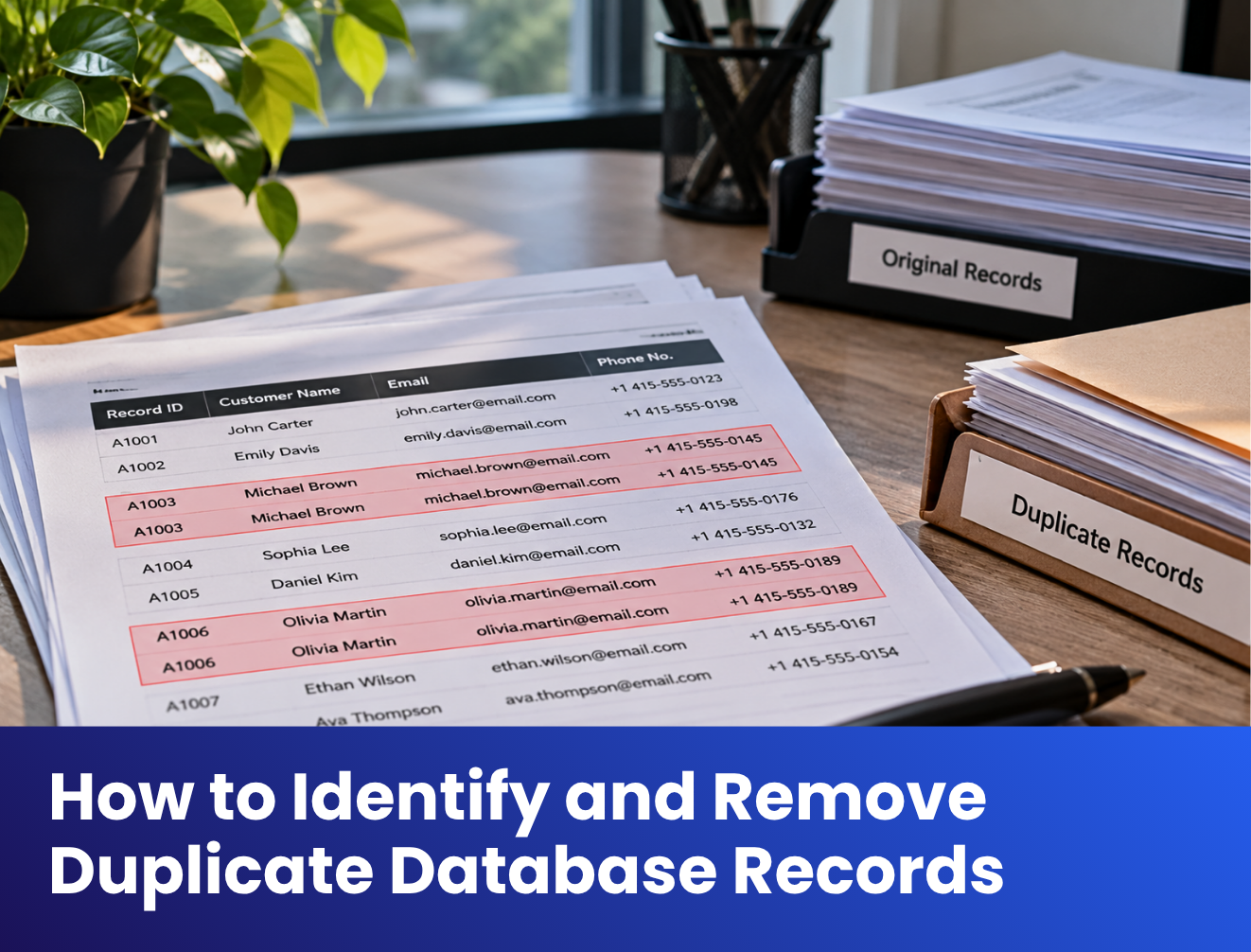
Duplicate records are a common data quality issue created by various types of business systems used by growing companies. Growing companies utilize multiple types of business systems such as Customer Relationship Management (CRM) systems; Enterprise Resource Planning (ERP) platforms; marketing applications; financial databases; and other types of business systems. Although the purpose of using multiple types of business systems is to assist the company with managing its operations, this can lead to a common data quality issue known as duplicate records.
When the same customer, vendor/supplier, item/product, transaction/order, or other type of business unit is recorded in more than one location, it is referred to as duplicate records. An example would be if a business has created three separate customer records for one single individual due to using different contact information such as email addresses or telephone numbers to create each profile. Another example could include having multiple entries for a single supplier within your Enterprise Resource Planning (ERP) system; this would typically be due to each department entering a variation of the same company name.
At first glance, duplicate records might appear benign. As the number of duplicates grows, though, so do the problems with business reports, communications with customers, financial accounts, inventory controls, and overall operational productivity.
Duplicate customer records may result in duplicate marketing communications and fragmented customer history. Duplicate supplier records may cause billing issues, and duplicate transaction data may overstate financial reporting, resulting in misinformed decision-making.
When there are many duplicate records in several different enterprise-wide databases, the difficulty of identifying and eliminating those duplicates is much greater. Simply comparing names or deleting multiple entries does not adequately solve this problem.
Businesses require a systematic method of handling data that includes the use of record matching, fuzzy matching, data cleansing, validation, and ongoing data governance.
This paper provides insight into why duplicate records occur in an organization, what methods exist to find those records within the company’s various database systems, and some of the ways that organizations can remove those records without compromising the integrity of the data over time.
1. Why Do Duplicate Records Develop Across Enterprise Databases?
When an organization inputs, imports, or transfers the same data into its business systems more than once without properly identifying that the data already exists, duplicate records are created.
Several factors contribute to this problem.
Manual Data Entry Errors
Manual data entry is one of the most common causes of duplicate records.
Employees can unintentionally create a new customer/supplier record when they should be looking for a prior one. Slight variations in the way that the name is spelled, how it is formatted, or the contact information used will cause the duplicate record to go unnoticed.
For example, a customer might appear as:
- John Smith
- Jon Smith
- John A. Smith
- J. Smith
In cases where the records might refer to the same individual, but the database uses literal string comparison, then the database will consider these records as being unique.
How to avoid this: Use an automated system for duplicate detection at the point of data entry; use standard input forms; and have your employees check existing customer records prior to adding new records.
Multiple Data Sources and System Integrations
The vast majority of enterprises do not rely on just one program. In fact, most organizations gather data from many different sources, including their customer relationship management platform(s), company website(s), enterprise resource planning system(s), marketing automation software(s), customer service application(s), and outside database(s).
As these systems exchange data, the same record can be sent more than once.
As an illustration, a customer can fill out a sign-up form through the company website and then call the sales team. If each system creates a separate profile for that individual, the organization will have two files for the same individual.
How to prevent it: Create consistent rules for data integration, and assign unique IDs to each record that exists in the different applications you are connecting to.
Inconsistent Data Formats
Departments and applications use different formats for storing data.
One example is that a particular system may store a phone number as +91 98765 43210, whereas another system may store the same phone number as 9876543210.
Companies can have different names in different databases; for example, they could be listed as “ABC Technologies Pvt Ltd” in one and “ABC Technologies Private Limited” in another.
The formatting differences may make it difficult for standard database searches to identify identical entities.
How to prevent it: You should standardize critical data elements (i.e., name, address, phone number, email address, company identifier) before conducting record matching.
Poor Data Migration and Legacy System Consolidation
When businesses migrate their data from legacy databases to modern platforms, duplicate records often occur.
For example, two departments have separate customer database systems. When consolidating the two systems, both sets of customer data will be moved to a single central location (data warehouse/CRM), regardless of whether there are any duplicates.
This can introduce thousands of duplicate records into the new environment.
How to prevent it: Do data profiling, matching, and deduplication before migrating. Create clear rules to identify which records represent the same entity.
2. How to Identify Duplicate Records Across Enterprise Databases
Organizations identify duplicate records by comparing each record with all other records to determine if two or more of the records refer to the same real-world entity.
The process usually begins with data profiling.
Data Profiling
Data profiling analyzes data sets for structure, completeness, format, and quality.
It helps identify:
- Repeated email addresses or phone numbers.
- Identical customer or supplier identifiers.
- Missing values in important fields.
- Inconsistent naming conventions.
- Repeated combinations of business attributes.
- Unusual record counts across systems.
For instance, a business can find out that 15% of all their customer records use the same email address as another record. If so, then there may be either duplicated customer entries or a single contact detail used by multiple people, and this would need to be investigated.
Data profiling assists in identifying those areas that have high concentrations of duplicates, and which variables will be the most effective for establishing matches.
Identify Reliable Matching Fields
Not every field has the same value when identifying duplicates.
The email address or government-issued business identification number can be more reliable than a person’s name as an indication of the individual being referred to.
The selection of appropriate match fields is dependent upon the type of information that organizations manage.
For customer records, these might include:
- Email address.
- Phone number.
- Customer ID.
- Full name.
- Billing address.
Useful fields for supplier records can be company registration numbers, tax identification codes, business names, and addresses.
Using multiple fields improves the chances of identifying duplicates accurately.
3. Exact Matching vs. Fuzzy Matching
Two of the most significant methods employed for identifying duplicates include exact matching and fuzzy matching.
Both methods help identify duplicate records, but they work differently.
What Is Exact Matching?
Exact matching identifies records when selected field values are identical.
For example:
| Record | Customer Name | Email Address |
| A | Rahul Sharma | rahul@example.com |
| B | Rahul Sharma | rahul@example.com |
| C | Rahul S. | rahul.s@example.com |
Records A and B have been determined to be possible duplicates due to the fact that they share identical names and email addresses.
With the use of SQL, database constraints, and/or data processing scripts, exact matching can be implemented easily.
SELECT
email,
COUNT(*) AS record_count
FROM customers
GROUP BY email
HAVING COUNT(*) > 1;
In this query, I group the records using their email addresses. This allows me to identify any duplicates (records that appear more than once).
However, exact matching has its own limitations. It cannot consistently identify records that have varying spellings, missing fields, or different ways of being formatted.
What Is Fuzzy Matching?
The process of fuzzy matching is used when trying to identify those records that are similar to each other, but not the same.
This feature is especially beneficial for correcting spelling mistakes, abbreviations, typographical errors, and/or inconsistencies with how a business formats its data.
For example:
| Record | Company Name |
| A | Global Tech Solutions Pvt Ltd |
| B | Global Technology Solutions Private Limited |
| C | Global Tech Solution Ltd |
An accurate matching system will likely view the three listed above as three different organizations. On the other hand, fuzzy matching would recognize that they are potentially identical to one another due to the fact that their titles follow a similar pattern.
Common fuzzy matching techniques include:
Levenshtein distance: This is the number of single-character edits (insertions, deletions, or substitutions) needed to change one string of characters to another. The Levenshtein distance can be useful in identifying spelling variations.
Jaro-Winkler Similarity: A measure of how similar two strings are. This can be used to compare names.
Token-based comparison: Instead of using only the entire string of text, this method allows for a comparison of each word. It could be useful when identifying company names that have been spelled out in various word orders.
Phonetic matching: It’s the comparison of the sounds of words that helps us find names that may have similar pronunciations but use different spellings.
When Should Businesses Use Each Method?
Organizations with reliable identifiers and consistent information will benefit from using exact match techniques.
When a record contains inconsistent data or incomplete information, fuzzy matching will be most effective.
In most businesses, using both methods together will produce better results. Exact matching can be used to find obvious duplicates immediately. Fuzzy matching can then be used to find potential duplicates that require more analysis.
Fuzzy matching does not mean deleting every similar record. Two separate individuals may have the same name. Also, it is possible for two distinct organizations to have nearly identical names.
4. Record Matching and Deduplication Techniques
Once there are potential duplicates that are identified by your company, you will want to use a formal process to decide what records to combine, keep, and remove.
This process is known as record matching and deduplication.
Rule-Based Record Matching
The rule-based approach to matching is designed to use predefined criteria to help determine which records represent the same individual.
For example, a company would likely deem two separate customer records as potentially duplicated based on:
- Their email addresses match.
- Their phone numbers match.
- Their names and postal addresses match.
- The organization can assign different importance to each field.
An exact match of a unique customer ID provides strong support, whereas a similar customer name will likely need to be verified.
The use of rules for matching allows for easier understanding, documentation, and auditing of decisions made.
Probabilistic Record Matching
Probabilistic Matching determines how likely it is for two separate records to refer to the same person/entity.
It examines commonalities and differences within several areas, as opposed to using a single criterion for comparison.
For instance, although both of these customer records contain a similar name and number, they will not share an identical address and date of birth.
The probabilistic matching model can use all of the above-mentioned evidence to determine a “match score.”
Records with a high score can be considered potential duplicates. On the other hand, those records that have an unknown score can be manually reviewed.
This method works best for analyzing large data sets with data that contains inconsistencies.
Choosing the Surviving Record
Organizations can now choose which of their records will serve as the “primary” record after they’ve identified all the duplicates.
Deleting the earliest or most recent entry could lead to loss of useful information.
A better approach is to establish survivorship rules.
For example:
- Retain the most recently verified email address.
- Preserve the most complete customer profile.
- Keep the most reliable contact information.
- Retain the original customer identifier where possible.
- Combine relevant information from multiple records.
A “golden record” is what we call the final product of this process, as it is the most reliable consolidated version of a single entity.
Record Merging and Deduplication
Deduplication is a process that identifies duplicate data and either removes or combines redundant records.
Before combining records, companies must take into account how these records relate to all other data.
The customer’s record can then link to their orders, help desk tickets, invoices, and any marketing campaigns they have been involved with.
If you make an error when merging multiple profiles for customers, you may disconnect these related records and/or assign them to another customer.
A controlled deduplication process should therefore:
- Identify potential duplicate groups.
- Evaluate matching confidence.
- Select the surviving record.
- Merge relevant information.
- Update related references and relationships.
- Retain an audit history of the changes.
- Validate the resulting dataset.
By doing so, you can ensure that the process of deduplication does not damage the relationship between your organization and its customers while at the same time improving the quality of the data used in your organization.
5. Data Cleansing and Validation: Improving Enterprise Data Quality
One of the ways businesses can improve data quality is by identifying duplicate data. In addition to identifying duplicate data, business owners should use data cleaning and validation techniques to maintain consistency and reliability of their data.
Standardize Data Before Matching
Data standardization converts inconsistent values into a common format.
For instance, telephone numbers can be converted to standard format by eliminating extra spaces and punctuation. Business names can also be standardized using common rules for abbreviation and legal suffix.
Address information can also be divided into common standards like street, city, state, zip/postal code, and country.
The standardization of records makes it easier to compare them, which results in improved matching accuracy.
Clean Missing and Invalid Values
Duplicate detection is less effective when information is missing or incorrect.
For example, the same individual might have two customer profiles with different spellings of their name and do not share any common email addresses.
Before applying matching criteria, organizations need to identify missing data, inaccurate contact information, and inconsistent identifiers.
Missing data is not acceptable to simply replace with guesses. Any corrections must originate from either a valid source or an accepted business process.
Apply Data Validation Rules
Data validation checks whether information meets predefined requirements.
Examples include:
- Email addresses must follow an accepted format.
- Phone numbers must meet country-specific validation rules.
- Customer IDs must be unique.
- Mandatory fields cannot be empty.
- Dates must follow approved formats.
- Supplier identifiers must match expected patterns.
Validation rules may be executed at several times, such as during the initial data entry process, during data migration from one system to another, during data integration when data from different systems are combined, or during a scheduled data quality check.
Revalidate Data After Deduplication
Removing duplicate records does not necessarily mean the end product of your data set will be accurate.
After businesses do a deduplication process, they need to compare record counts from before the deduplication process with the record counts after the deduplication process. Also, after doing a deduplication process, businesses need to determine if all relationships exist as they did before the deduplication process. Finally, after doing a deduplication process, businesses need to verify that none of their critical business numbers have been altered in a way that was unexpected.
For example, if you merge two customers’ profiles because they are duplicates, then you shouldn’t accidentally delete real orders or change how much money was charged for each order.
Therefore, both before and after you de-duplicate your data, you must perform data validation.
6. How to Prevent Duplicate Records From Returning
The removal of current duplicate records can help to clean up data quality issues; however, to maintain high-quality data over time, it will be necessary to prevent the formation of similar types of data quality issues.
Businesses need to examine how they are creating duplicate records in the first place.
Establish Unique Identifiers
Assign unique identifier codes to all of the important entities within your organization, including, but not limited to, customers, suppliers, products, and each transaction.
Identifiers are used to identify the same person (entity) across various applications regardless of whether their name, address, or phone number changes.
For instance, if you have a customer ID created by your central system, then that ID will work with all of your different software systems such as CRM, billing, and customer support.
Implement Duplicate Prevention During Data Entry
This is a way to reduce the amount of duplicate entries made at the time of entry as opposed to using a clean-up method after the fact.
Use Master Data Management (MDM)
Master Data Management (MDM) is a way of creating and maintaining a consistent view of key business entities across multiple systems.
Organizations use an MDM system to create a reliable record of their customers, suppliers, products, and other common elements.
A customer’s updated contact information can be shared among other connected business systems when it is changed in an approved primary system.
The use of a single system for managing data will reduce the likelihood of inconsistent data being created by different systems that may be used to create the exact same type of information.
Improve Data Integration Processes
Integration pipelines should include duplicate detection and validation rules.
When data is transferred from one application to another, the receiving application will verify if the incoming record is present.
Using reliable identifiers, controlled updates, and idempotent processing when appropriate will help avoid having the same integration job create duplicate records.
Schedule Regular Data Quality Audits
Even well-designed systems can develop duplicates over time.
New applications, employee activity, importing of data, as well as business acquisitions, may lead to inconsistencies.
Organizations must plan for periodic reviews of the data quality of their databases in order to determine whether or not there are any duplicates in the data, to assess how well the matching process is working, and to fix recurring problems.
Automated monitoring can also notify teams if there is an unexpected rise in the rate of duplicates.
Conclusion
The use of duplicate records within an organization’s multiple databases may cause significant data quality issues. These issues could negatively impact the ability to manage customers, produce accurate financial reports, effectively operate the business, and make informed decisions.
Duplicates can occur from many different sources, such as manual entries being incorrect, systems that are not connected with each other, data format inconsistencies, and poor management of data migrations.
The identification process involves using multiple data analysis methods such as profiling, exact matching, fuzzy matching, and comparing records. To eliminate duplicate records, you will need to utilize several techniques including deduplication, survivorship rules, data cleansing, and validation.
Long-term success is determined by how well you can prevent duplicates from reappearing. Business organizations need to create unique identifiers, use duplicate detection at the time of data entry, improve the way they integrate their systems, and possibly even use master data management to protect their most important business information.
Ultimately, the use of consistent data management practices to maintain the accuracy, connectedness, and reliability of data across all business systems is what creates reliable enterprise data. Reliable enterprise data cannot be created simply through the elimination of duplicate records.
Frequently Asked Questions
- What causes duplicate records in enterprise databases?
Duplicate records are often created through manual data entry errors, multiple data sources, inconsistent formatting, repeated data imports, system integrations, and bad database migration practices.
2. What is the difference between exact matching and fuzzy matching?
Exact match is used when you want to find records that have exactly the same values in all of the specified fields. Fuzzy matching can be used to identify records that are very similar but have some variations in spelling, abbreviations, or formatting.
3. How can businesses identify duplicate records across multiple databases?
Businesses may employ data profiling, individual identification, SQL queries, rule-based comparison, and fuzzy matching algorithms. These methods provide a means for comparing data across various systems to detect possible duplication.
4. What is a golden record in data management?
A “golden record” is an updated, reliable version of a business entity. The “golden record” is developed using the most accurate information available in all of the records regarding the same entity. A “golden record” is used as the best source for information about a specific business entity.
5. How does master data management prevent duplicate records?
Master Data Management creates a single, accurate view of critical business data and ensures that data is synchronized throughout an organization’s various systems. This reduces the likelihood that different systems will contain conflicting versions of the same data.
6. How often should businesses perform data deduplication?
The frequency of duplicate detection is based on the amount of information you process, how active your company is, and the number of other computer systems that connect with yours. For example, if you have a database that is updated frequently, it would be beneficial to have a continuous process for finding duplicates, along with periodic quality audits of your data.